HOW TO GET INTERNET ABROAD: SAFE TRAVEL TIPS
Internet access has become almost as essential as food and water when we travel. Reservations, maps, directions and apps that suggest what to do all depend on it. For people like us who earn a living through freelance work online, the need is even more urgent. Here are the safe, practical methods we now recommend. Plans, prices and device menus change, so check your mobile operator and device instructions before departure.
BUY A LOCAL SIM OR TRAVEL eSIM
A prepaid local SIM remains a straightforward option. You can usually buy one at an airport, train station, bus terminal or mobile operator shop; city-centre stores may be cheaper. If your phone supports eSIM, you can also compare a reputable travel eSIM with your home operator's roaming package before you leave. Confirm coverage, data limits, hotspot rules and whether registration requires your passport.
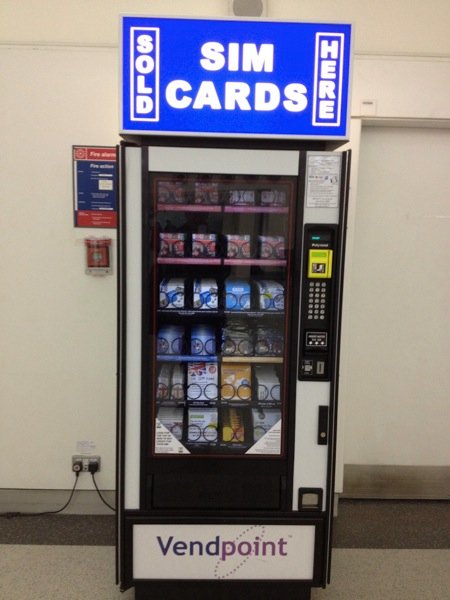
SIM-card vending machines. Photo credit: www.polaine.com
DO NOT TRY TO BREAK INTO WI-FI NETWORKS
An older version of this article described software for guessing or exploiting Wi-Fi passwords. We no longer recommend or provide those instructions. Accessing a network without the owner's permission may be illegal, and unknown networks or cracking tools can expose your passwords and devices. Use your own mobile data, an authorised guest network or a hotspot whose owner has explicitly given permission.
USE AUTHORISED WI-FI AT CAFÉS, HOTELS AND LIBRARIES
If you rent a flat through a short-stay platform, you may occasionally find that the advertised Wi-Fi is unavailable or too weak. Ask the host to resolve it first. Otherwise, use an authorised network at a café, restaurant, library or coworking space and make a purchase where appropriate. Avoid sensitive banking on open Wi-Fi; prefer HTTPS, keep your software updated and use your own hotspot when privacy matters.
Most current Mac and Windows laptops can share an existing connection with other devices, although Wi-Fi hardware and network policies can limit whether the same wireless connection can be received and rebroadcast. Android phones and iPhones can share an eligible mobile-data connection through Personal Hotspot or tethering, subject to your carrier plan.
Most current Mac and Windows laptops can share an existing connection with other devices, although Wi-Fi hardware and network policies can limit whether the same wireless connection can be received and rebroadcast. Android phones and iPhones can share an eligible mobile-data connection through Personal Hotspot or tethering, subject to your carrier plan.

No, I am not sulking—I am getting online. | 
The classic 'it works only if you stand over there on tiptoe' connection. |
Our old setup used an authorised hotel guest network, a range extender and a Mac. We placed the equipment on the balcony, let the computer receive the signal and shared it with our own devices. Today, a travel router or phone hotspot is usually simpler. Always check the accommodation's terms before extending or sharing its network, and never connect more devices than the provider allows.
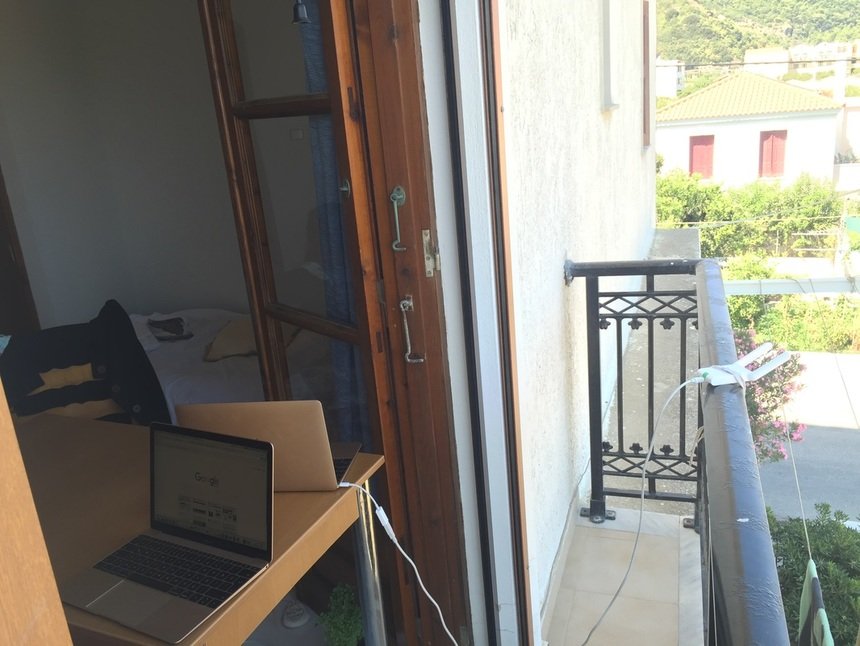
Our old internet setup looked complicated, but it worked at the time.
HOW TO SHARE INTERNET FROM A MAC
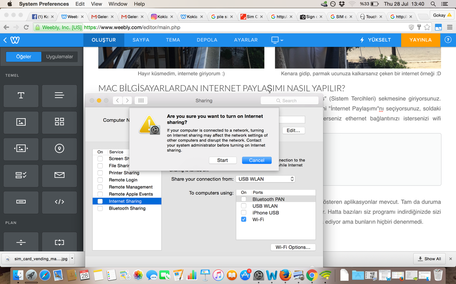
On current macOS versions, open System Settings, choose General, then Sharing, and select Internet Sharing. Choose the connection you want to share and the method other devices will use. Menu names can vary by macOS release. On Windows, look for Mobile hotspot under Network & internet. If you are sharing mobile data, remember that every connected device uses the same allowance.
DOWNLOAD OFFLINE MAPS AND ESSENTIAL INFORMATION
Do not make your entire trip depend on a live connection. Before leaving Wi-Fi, download offline areas in your map app, save booking confirmations and tickets, note your accommodation address and keep an offline copy of emergency numbers. Crowd-sourced Wi-Fi apps may contain outdated or unauthorised passwords, so use only networks you are entitled to access.
Useful categories to prepare before departure:
Offline maps, your airline and rail apps, your mobile operator's app, a trusted eSIM or local SIM account, and secure cloud or offline copies of travel documents.
Wishing everyone happy travels. Do not forget to follow us on Instagram and Facebook.
Useful categories to prepare before departure:
Offline maps, your airline and rail apps, your mobile operator's app, a trusted eSIM or local SIM account, and secure cloud or offline copies of travel documents.
Wishing everyone happy travels. Do not forget to follow us on Instagram and Facebook.
If You Have Upcoming Travel Plans...
When you make a purchase by clicking our links, we get to earn a small commission but you still pay the same price. So, it's a win-win for everyone!

Book hotels via Booking.com | 
Find Cheap Flights via Skyscanner | 
Get a Travel Insurance via World Nomads | 
Make International Money Transfer via Wise |

Book Tours & Attractions via Getyourguide | 
Book a Cruise | 
Book Bus/Ferry/Train/Transfer via 12goAsia | 
Find free accommodation in exchange for petsitting |